


 Search
Why On-Site IT Support Still Matters for Growing Businesses
There is a moment every business owner recognises. Someone calls across the office: “The system is down.” Deadlines are closing. A client is waiting. And the person trying to fix it is a colleague who is good with computers, not an IT professional.
Remote tools solve a lot of problems. But some things need someone in the room. This post explains what on-site IT support actually does for a business, when it matters most, and how to decide whether it belongs in your IT setup.
What On-Site IT Support Actually Involves
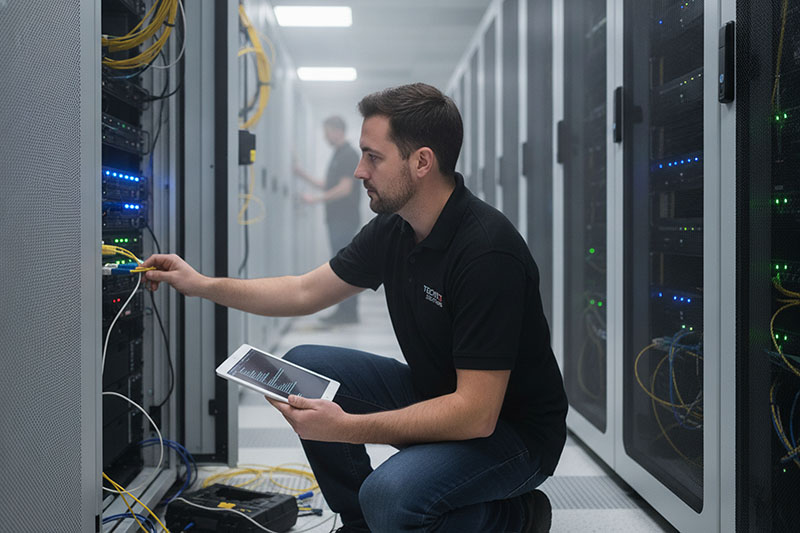
Business IT support delivered on-site means a qualified engineer comes to your premises. They work with your hardware, your network, your people. There is no “can you try restarting it” while someone sits on hold. At ImageIT, on-site visits cover a wide range of work:
- Hardware troubleshooting and repair: diagnosing faults in desktops, laptops, servers, and peripherals that cannot be resolved remotely
- Network infrastructure work: setting up or reconfiguring routers, switches, cabling, and wireless access points
- New device setup and configuration: preparing workstations, printers, and other equipment to your exact specifications before a user touches them
- Server room maintenance: physically inspecting, testing, and maintaining on-premise servers and storage
- Security hardware installation: fitting firewalls, access control devices, or network monitoring equipment
- Staff assistance: walking users through issues face-to-face, which is often faster and more effective than remote guidance
The distinction matters. Remote support is excellent for software faults, account issues, and anything that can be fixed through a screen. Physical problems need physical presence.
The Situations Where Remote Support Reaches Its Limit
Remote IT support is fast and cost-effective for most day-to-day issues. But there are clear situations where it simply cannot help. This is not a criticism of remote support. It is a description of what on-site IT field services are built for: the work that cannot be delegated to a screen.
- The device will not turn on. You cannot screen-share with a machine that has no power. A dead PSU, a blown fuse, a failed boot drive: these require hands-on the hardware.
- The network is down entirely. If connectivity has failed, remote access is unavailable by definition. An engineer needs to come on-site, check the physical infrastructure, and trace the fault.
- A new office setup or relocation. Running cable, racking servers, mounting access points, and testing everything properly before staff arrive is a physical job.
- A security incident involving physical hardware. If a device has been compromised or stolen, or if access control needs to change, that work happens on-site.
Why SMEs in Northeast Ireland Are Choosing Managed On-Site Support
Most small and medium businesses do not need a full-time IT person in the building. What they need is reliable access to one when something goes wrong, or when infrastructure needs attention.
Managed IT support with an on-site component gives you that access without the cost of employing it. You get a dedicated team available remotely, with scheduled or emergency on-site visits as your situation requires. There are a few specific reasons this model suits SMEs well.
First, cost control. A full-time IT employee typically costs between £35,000 and £50,000 per year before benefits, training, or cover for leave. Outsourced IT support services deliver broader expertise at a fraction of that cost.
Second, depth of skill. One internal IT person covers what they know. A managed IT support provider brings a team with specialisations across networking, cybersecurity, cloud, and hardware. When a problem is outside one person’s expertise, there is someone else to escalate to.
Third, continuity. Internal IT staff leave. They take holidays. They get sick. A managed provider does not have those gaps; cover is built into the service.
What “Proactive” On-Site Support Looks Like in Practice
Reactive support fixes problems. Proactive onsite IT support services prevent them. A scheduled visit means an engineer checks server health, inspects cabling, tests backups, and flags hardware approaching the end of life before it causes a disruption.
Think of it like an annual boiler service: you do it before January, not during it. That rhythm keeps systems running instead of restoring them after failure.
How to Evaluate an On-Site IT Support Company
Not every business IT support company offers the same level of service. These are the questions worth asking before you commit.
What is the guaranteed response time for on-site visits? Response time for a remote fix and response time for a physical visit are different things. Clarify both. For businesses in Northeast Ireland, proximity matters: a provider based locally can respond in a way that a regional or national provider often cannot.
Who comes to the site? Some providers send different engineers each time. Others assign a named engineer or a small team who get to know your setup. The second approach is significantly more effective. An engineer who knows your server room, your network layout, and your quirky printer on the second floor is more useful than someone arriving cold.
What is included in a managed contract? Scheduled visits, emergency call-outs, travel costs, and hardware replacement are handled differently by different providers. Read what is actually covered, not just the headline service description.
Do they carry parts? A provider who arrives to fix a hardware fault without common spare parts will solve it on a second visit. A well-prepared engineer carries the components most likely to be needed.
What On-Site Support Means for Cybersecurity
Cybersecurity is not only a software problem. Unsecured server rooms, unmanaged USB ports, and network switches with default passwords are physical vulnerabilities that remote monitoring does not always catch.
An on-site engineer from a trusted managed IT support provider checks what a remote tool cannot see: who has physical access, what firmware is running, and whether basic hardware hygiene is in place.
- Physical access audits: Verifying server rooms and network hardware are secured against unauthorised access.
- Firmware and hardware checks: Confirming devices are patched, supported, and not running outdated configurations.
The ImageIT Approach to On-Site IT Support
At ImageIT, we provide business IT support across Northeast Ireland through a managed model that combines remote monitoring with scheduled and emergency on-site visits from local engineers who know your setup.
- Local engineers: Fast, realistic response times across Northeast Ireland from a team that knows your infrastructure.
- Named contacts: No rotating roster; the same engineer arrives each time with full knowledge of your systems.
- Full-scope cover: From routine maintenance and hardware installs to emergency callouts and post-incident reviews.
Also Read: What to look for in a good IT Support partner?
Conclusion:
If your business relies on systems that cannot afford to be down, the question is not whether you need on-site IT support. It is whether the provider you are considering will actually show up.
Contact ImageIT to find out how our managed onsite IT support services work for Northeast Ireland businesses.
Frequently Asked Questions About On-Site IT Support
What is onsite IT support?
Onsite IT support means a qualified engineer visits your premises to fix hardware, configure networks, or resolve issues that cannot be solved remotely.
When should a business use onsite IT support?
Use it when hardware fails, the network goes down, new equipment needs to be set up, or a security issue requires a physical response on your premises.
How is onsite IT support different from remote support?
Remote support works over the internet. Onsite support sends an engineer to your location to handle physical faults, cabling, servers, and hardware issues directly.
What does a managed IT support contract include?
Most contracts include remote helpdesk access, monitoring, scheduled onsite visits, and emergency callouts. Always confirm what travel and parts cover is included.
How quickly should an onsite IT engineer arrive?
Response times vary by provider and contract. Local providers in Northeast Ireland can typically respond within hours. Confirm SLA times before signing any agreement.
Is onsite IT support worth it for a small business?
Yes. Small businesses often lack in-house IT staff. Onsite support gives access to qualified engineers when problems occur, without the cost of a full-time employee.
Can onsite IT support help with cybersecurity?
Yes. Engineers can check physical security, update firmware, audit network hardware, and identify vulnerabilities that remote monitoring alone does not always detect.
What is the difference between onsite IT support and break-fix IT?
Break-fix is reactive: you call when something breaks. Managed onsite support includes scheduled visits, proactive maintenance, and monitoring to prevent issues before they occur.
How much does onsite IT support cost for a small business?
Costs vary by contract scope, visit frequency, and provider. Managed contracts are typically far less expensive than hiring a full-time IT employee with equivalent expertise.
How do I choose the right onsite IT support provider?
Look for local coverage, fast response times, named engineers, clear SLAs, and a managed model that includes both remote and onsite support in a single contract.
