


 Search
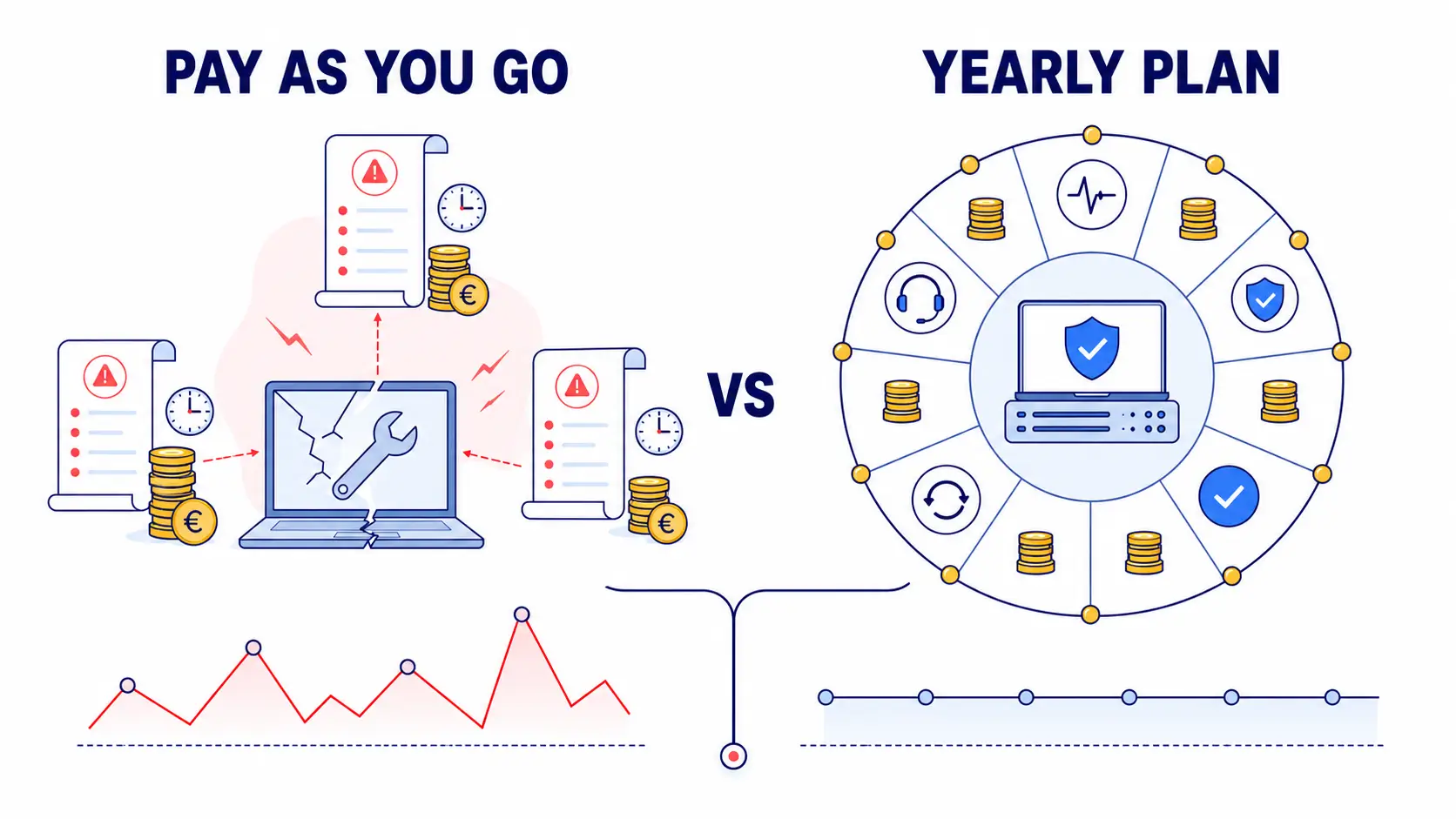
Usually, small business owners can’t actually tell you what IT support costs them each year. Not because they’re careless. Because the bill is scattered across callout fees, emergency invoices, and hours of lost work that never show up on paper.
That’s the real problem with choosing between pay-as-you-go IT support and a yearly IT support plan. It’s not a technology decision. It’s a budgeting one, and most businesses are making it blind.
Ask yourself this: if your systems went down tomorrow, do you know exactly who you’d call, how fast they’d respond, and what it would cost you? If the answer’s no, you’re not alone. But it’s worth thirty seconds of honesty before you pick a support model, because that gap is exactly where the wrong choice gets expensive.
What Pay-As-You-Go IT Support Actually Means
Pay-as-you-go IT support is exactly what it sounds like. You call an IT service provider when something goes wrong; they send someone out or log in remotely, fix the problem, and you get a bill.
For some businesses, that sounds ideal. You’re not paying for a service you’re not using. If your systems run fine for six months, you spend nothing on support during that time. But there’s a catch. Many pay-as-you-go arrangements don’t include proactive maintenance. Nobody is checking that your backups are actually running. Nobody is patching software before a vulnerability gets exploited. You’re only ever reacting, never preventing.
What a Yearly IT Support Plan Actually Covers
A yearly IT support plan flips the model. Instead of paying per incident, you pay a fixed amount, usually monthly or annually, and in return you get ongoing IT service and maintenance rather than one-off fixes.
Typically, that includes:
- Helpdesk access, so your team has someone to call when something goes wrong
- Remote and onsite IT support, depending on the issue
- Proactive monitoring, catching problems before they become outages
- Regular maintenance, patching, updates, and backup checks
- A predictable monthly cost, so IT stops being a surprise line item
The trade-off is straightforward. You’re paying even in quiet months when nothing breaks. But you’re also getting something pay-as-you-go can’t offer: someone actively watching your systems, not just waiting for the phone to ring.
The Real Cost Comparison: Reactive vs. Predictable
This is where many SME owners get the decision wrong, not because they choose badly, but because they’re comparing the wrong numbers.
The Hidden Costs of Pay-As-You-Go
Think about what actually happens when a server goes down, and you’re on a reactive contract. First, someone has to notice. Then someone has to call. Then you wait for a technician, who may not be free straight away, especially if it’s a Friday afternoon or the week before a bank holiday.
And because pay-as-you-go providers aren’t monitoring your systems day to day, small issues tend to go unnoticed until they become expensive ones. A failing hard drive that could’ve been replaced quietly during a routine check instead causes a full outage on a Tuesday morning.
Where a Yearly Plan Earns Back Its Cost
A managed IT services plan flips that sequence. Problems get caught earlier, often before staff even notice anything’s wrong. Patches go out on schedule instead of after something’s already been exploited. Backups get tested, not just assumed to be working.
For a small business, that predictability matters just as much as the prevention. You know what IT will cost you in March and in September. That makes IT budgeting for small business teams a lot less stressful, particularly if you’re the one signing off on the numbers.
Five Questions to Ask Before You Choose
Before you decide, it’s worth being honest with yourself about a few things:
- How often does something actually go wrong? If it’s rare, pay-as-you-go might genuinely suit you.
- How much does an hour of downtime cost your business? A shop losing card payment access for two hours is a different problem than a solo consultant’s laptop acting up.
- Do you have anyone in-house who understands your systems? If not, proactive monitoring becomes far more valuable.
- Are you holding sensitive data? Client records, payment details, or health information raise the stakes on cybersecurity and backup, well beyond simple fixes.
- Do you know your current IT spend over a full year? Many businesses underestimate it because pay-as-you-go costs are scattered across invoices instead of one predictable figure.
Sit with these honestly. The right answer changes depending on your business, not on which model sounds more modern.
When Pay-As-You-Go Genuinely Makes Sense
A very small operation with one or two computers, minimal reliance on shared systems, and low sensitivity to downtime might genuinely be fine with occasional, reactive help. If your business could survive a broken laptop for two days without real damage, the fixed monthly cost of a plan may be more than you need right now.
The honest advice here is simple: match the support model to your actual exposure, not to what feels safest on paper.
How to Choose the Right IT Support Packages for Your Business
Many SMEs sit between the two extremes, which is why IT support packages come tiered. ImageIT has spent 38+ years working with SMEs across Louth, Meath, Monaghan, Cavan, and Dublin, so we’ve seen both models work well.
There’s no single best IT support plan for small businesses, only the right one for yours, based on the downtime you can absorb and the monthly cost you need to plan around. Let’s talk through your setup and risk points to find that fit.
Want a clearer picture of what your business actually needs? Get in touch with ImageIT for a straightforward conversation about the right level of IT support and maintenance for you.
Frequently Asked Questions
1. What’s the main difference between pay-as-you-go IT support and a yearly plan?
Pay-as-you-go bills per incident with no retainer. A yearly plan charges a fixed fee for ongoing support, monitoring, and maintenance.
2. Is pay-as-you-go IT support cheaper than a managed plan?
Sometimes, short-term. But hidden downtime and delayed fixes often make it costlier over a full year for busier businesses.
3. What’s included in a typical yearly IT support plan?
Helpdesk access, remote and onsite support, proactive monitoring, patching, and regular maintenance checks, usually for one fixed fee.
4. Which businesses suit pay-as-you-go IT support best?
Very small operations with minimal systems, low downtime risk, and infrequent IT issues often manage fine with reactive support.
5. How do I know if my business needs managed IT services?
If downtime would seriously disrupt you, or you hold sensitive client data, ongoing monitoring is usually the safer, smarter choice.
6. Does a yearly IT plan include onsite IT support?
Most plans combine remote support for speed with onsite visits when a problem genuinely needs hands-on attention.
7. Can I switch from pay-as-you-go to a yearly plan later?
Yes. Many SMEs start reactive, then move to a managed plan as they grow or as downtime starts costing more than expected.
8. What makes an IT support plan “affordable” for a small business?
One that matches your actual risk and usage, not the cheapest headline price. Overpaying or underinsuring both wastes money.
9. How does a yearly plan help with IT budgeting for small businesses?
It replaces unpredictable, scattered invoices with one known monthly cost, making it far easier to plan and forecast spend.
10. Who does ImageIT provide IT support for?
SMEs across Louth, Meath, Monaghan, Cavan, and Dublin, with over 38 years’ experience supporting businesses of varying sizes.
