


 Search
IT Troubleshooting Guide
Common Computer Hardware and Software Problems in the Workplace (and How to Fix Them)
Your laptop freezes ten minutes before a client call. You restart it twice. Nothing. Sound familiar? Every Irish workplace hits this. This guide covers the common computer problems behind it, and when it’s time to call in proper business IT support.
What Counts as "Hardware and Software" in a Business Setting?
Hardware is the physical kit: laptops, servers, printers, and routers. Software is what runs on top: Windows, Microsoft 365, and your accounting package.
They’re joined at the hip. A worn drive slows software down. A bad update can lock out hardware that’s working fine.
Knowing which side a fault sits on saves time. Guessing wastes it.
Most businesses run both types of hardware and software without ever mapping them. That’s where problems hide.
The Most Common Computer Problems Irish Businesses Run Into
Some business computer problems show up as a slow machine. Others show up as a message that stops sending, a spreadsheet that won’t open, or a printer that’s had enough. Here’s where they tend to come from.
Hardware Problems
These workplace technology problems tend to fall into two camps: the ones you can see coming, and the ones that hit without warning.
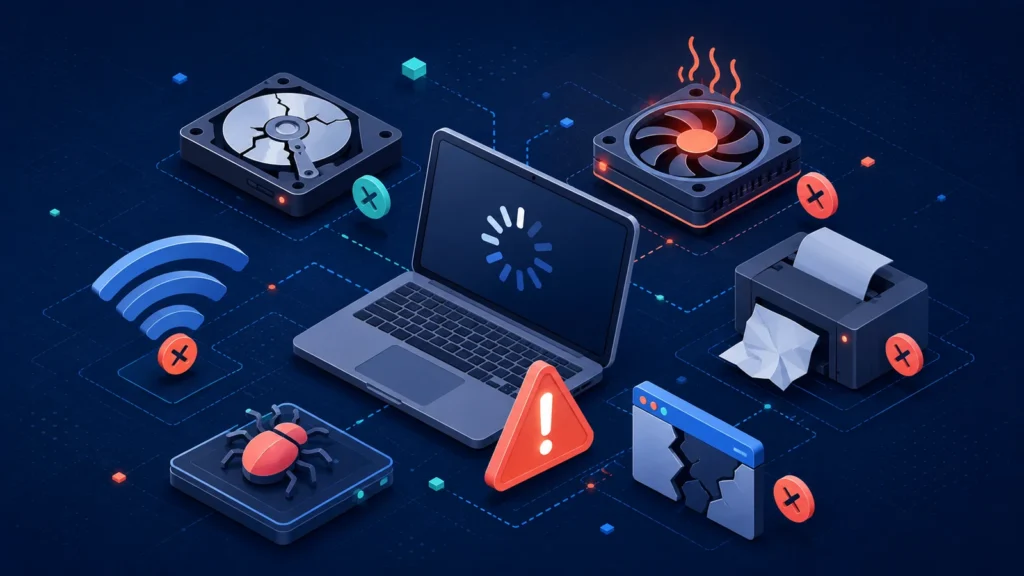
- Ageing or slow machines. A laptop that took ten seconds to boot two years ago now takes two minutes. That’s not bad luck, it’s wear, dust, and a hard drive doing more work than it was built for.
- Failing hard drives. Clicking noises, files that won’t save properly, or a machine that freezes mid-task are early warning signs, not random blips.
- Printer and peripheral faults. Paper jams, drivers that vanish after an update, scanners that suddenly stop talking to the network. Small, constant, and oddly time-consuming.
- Overheating. Fans running loud, machines shutting down under load, especially in warmer office spaces or laptops used on soft furniture that blocks the vents.
- Network hardware issues. A router that needs restarting weekly, patchy Wi-Fi in one corner of the office, a switch that’s quietly dying.
Software Problems
- Crashes and freezes. An app that closes without warning, taking unsaved work with it.
- Licensing and update chaos. Software that stops working because a licence lapsed, or an update that breaks something else on the way in.
- Incompatibility. A new tool that won’t talk to an older system, or a file format one team uses that another can’t open.
- Malware and security software conflicts. Slowdowns caused by infections, or, just as often, by security tools fighting each other in the background.
- Unsaved or lost work. Usually a software crash, sometimes a hardware fault, always frustrating.
Notice how often one problem drags in the other. A failing hard drive causes software crashes. A bad update slows hardware down. That overlap is exactly why so many common IT problems in business get misdiagnosed at first glance.
Why These "Small" Problems Cost Businesses More Than They Realise
A frozen laptop feels like a five-minute inconvenience. In practice, business computer problems like this rarely stay small.
Add up the missed call, the re-typed email, the colleague who stops what they’re doing to help, and the ten minutes becomes forty. Multiply that across a team, across a month, and it’s a meaningful chunk of paid time spent staring at a spinning wheel instead of doing the job.
There’s a quieter cost too. A client on the other end of that missed call doesn’t see your dodgy hard drive. They see a business that wasn’t ready. Trust erodes in small moments like that, not in one big failure.
And staff notice. A team that fights the same printer every Friday starts expecting things to break. That expectation shapes how people work, often without anyone naming it out loud.
How to Tell If It's a One-Off Glitch or a Bigger IT Problem
Not every hiccup means something’s seriously wrong. Here’s a quick way to tell the difference.
| Sign | Likely a one-off | Likely a bigger issue |
|---|---|---|
| Frequency | Happens once, doesn’t repeat | Happens weekly or more |
| Pattern | No obvious trigger | Same app, same time of day, same machine |
| Recovery | Restart fixes it fully | Restart helps briefly, then it’s back |
| Spread | Affects one person | Affects several people or one whole team |
| Age of kit | Machine is under three years old | Machine is older, or already had past issues |
If you’re ticking boxes on the right, that’s usually your signal to stop restarting and get proper IT support for computer issues before a workaround becomes a habit.
Fixing It Yourself vs. Calling in Business IT Support
DIY fixes have their place. A frozen app, a stuck print job, a Wi-Fi drop that clears after a router restart: these are normal, and most staff can handle them without help.
These are the moments that call for IT support for computer issues, not another restart:
- The same fault keeps coming back after you’ve “fixed” it
- More than one person is affected at the same time
- You genuinely don’t know if it’s hardware or software causing it
- Data loss is a real risk (a dying drive, a corrupt file, a failed backup)
- The fix would mean touching your network, server, or security settings
Here’s the part worth saying plainly: trying to save money by pushing through a hardware fault often costs more. A drive that’s failing slowly, kept limping along instead of replaced, tends to fail completely at the worst possible moment, usually mid-project, rarely on a quiet Tuesday.
How ImageIT Approaches Business IT Troubleshooting
ImageIT has supported SMEs across Louth, Meath, Monaghan, Cavan, and North Dublin for 38+ years. That’s long enough to spot the same hardware and software problems repeating across law firms, GP practices, and everyday offices.
Cyber Essentials Plus certified, working from Drogheda and Dublin, ImageIT catches workplace technology problems early instead of waiting for a crisis. Stop losing hours to the same recurring glitch: talk to ImageIT about business IT support services today.
Frequently Asked Questions
Hardware problems involve physical parts like drives or routers. Software problems involve programs, operating systems, or apps. Symptoms often overlap.
Ageing drives, background clutter, and outdated software all add strain. It’s usually gradual wear, not one single cause.
Yes, restarting is a fair first step. If the same freeze keeps returning, that points to a deeper issue worth investigating.
Check if it happens in one app only (likely software) or across the whole machine, including startup (likely hardware).
Slow machines, software crashes, printer faults, network drops, and licensing issues top the list for most Irish workplaces.
Call for support when problems repeat, affect multiple staff, risk data loss, or involve your network or server settings.
Yes. Software update requirements grow over time, and older hardware often can’t keep pace, causing slowdowns and crashes.
It depends on age and fault severity. A proper IT assessment avoids guesswork and prevents paying twice for the same problem.
Regular proactive monitoring catches problems early. Waiting until something visibly breaks usually costs more time and money.
Yes, ImageIT supports SMEs across Louth, Meath, Monaghan, Cavan, and North Dublin from its two office locations.
Stop Losing Hours to the Same Recurring Glitch
Cyber Essentials Plus certified and working from Drogheda and Dublin, ImageIT catches workplace technology problems early instead of waiting for a crisis.